
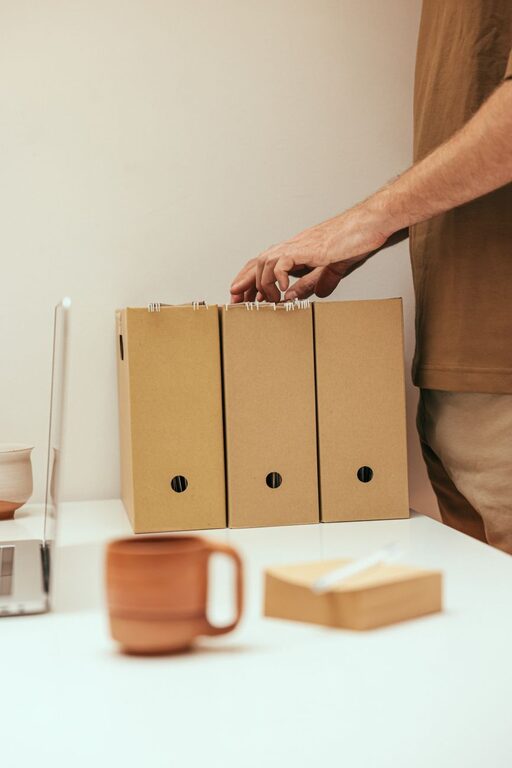
Keeping files organized can save time, reduce stress, and make everyday tasks easier. Whether you use your computer for work, school, creative projects, or personal records, a simple system helps you find what you need without searching through dozens of random folders.
The best file organization method is one you can maintain. It does not need to be complicated or perfect. Start with a few clear rules, then adjust them as your needs change.
Start With a Quick Cleanup
Before creating a new folder system, review what you already have. A large collection of unsorted files can make it difficult to see what needs attention.
Set aside time to:
– Delete files you no longer need.
– Empty the Recycle Bin or Trash.
– Remove duplicate downloads, images, and documents.
– Move important files out of temporary folders.
– Uninstall programs that create unnecessary files.
– Review large files that take up significant storage space.
Do not try to organize everything in one long session if you have years of files to sort. Begin with the folders you use most often, such as Documents, Downloads, Pictures, and Desktop. Small improvements in these locations can make a noticeable difference.
Create a Simple Folder Structure
A clear folder structure gives every file a logical home. Start with broad categories, then add smaller folders only when necessary.
For example, a personal computer might use this structure:
– Documents
– Work
– Personal
– Projects
– Records
– Pictures
– Family
– Travel
– Events
– Videos
– Music
– Downloads
– Archive
You can organize folders by project, year, client, subject, or file type. Choose a method that matches the way you think and work.
Use Broad Categories First
Avoid creating too many folders at the top level. Ten to fifteen main folders are usually easier to manage than dozens of separate locations.
For example, instead of creating separate top-level folders for each project, place them inside a main Projects folder. This keeps your computer’s main file view uncluttered.
Avoid Excessive Subfolders
Subfolders are useful, but too many levels can make files difficult to reach. If you must open five or six folders to find one document, your system may be too complicated.
Aim for a structure that is detailed enough to be clear but simple enough to use quickly.
Organize Files by Project or Purpose
If you regularly work on projects, create one main folder for each project. Keep related files together, including documents, images, spreadsheets, notes, and final copies.
A project folder might look like this:
– Project name
– Notes
– Working files
– Images
– Shared files
– Final files
This approach prevents related materials from being scattered across your computer. It also makes it easier to move or back up an entire project.
For ongoing personal tasks, consider folders based on purpose. Examples include Home, Learning, Travel, Applications, and Household Records.
Use Clear and Consistent File Names
A good file name should tell you what the file contains without requiring you to open it. Avoid names such as “document1,” “final,” or “new version.”
Instead, use names that include useful details:
– Project plan spring 2026
– Meeting notes April 12
– Kitchen renovation budget
– Family trip photos July 2025
When naming files, consider including:
– The project or subject
– The date
– The document type
– A version number, if needed
Keep your naming style consistent. For dates, use a format such as YYYY MM DD so files sort in the correct order. For example, “2026 04 12 meeting notes” is easier to sort than “April 12 meeting notes.”
Avoid unnecessary symbols and overly long names. Simple names are easier to read, search, and use across different devices.
Manage Your Downloads Folder
The Downloads folder often becomes a temporary storage area that is never cleaned. Make it a regular part of your file routine.
Once or twice a week:
- Open the Downloads folder.
- Delete files you no longer need.
- Move important files to their proper folders.
- Rename files that you plan to keep.
- Remove duplicate copies.
If you download a file for temporary use, delete it when you are finished. This prevents old installers, attachments, and images from filling your storage.
Keep Your Desktop Clear
Your desktop should be a convenient workspace, not a long-term filing cabinet. Too many icons can make it harder to find important items and may slow down your routine.
Keep only frequently used shortcuts and a small number of temporary files on the desktop. Move finished work into the correct folder at the end of each day or project.
You can also create a folder called “Desktop Cleanup” as a temporary holding place. Review it regularly so it does not become another forgotten storage area.
Separate Current Files From Archives
Not every file needs to remain in your active folders. Move older materials into an Archive folder when you no longer use them regularly.
You can organize archives by year, project, or category:
– Archive
– 2023
– 2024
– Completed projects
– Old records
Archiving keeps current folders easier to navigate while preserving files you may need later. Before moving anything, make sure you understand any retention requirements for work, school, or personal records.
Use Search and Labels Effectively
Modern computers include search tools that can find files by name, type, date, or content. Good folder organization still matters, but search can save time when you remember only part of a file name.
Use descriptive names and, when helpful, add keywords to file names. Some systems also support color labels, ratings, or tags. These features can be useful for marking files as urgent, completed, or ready to review.
Do not rely entirely on labels, however. Labels may not appear the same way on every device or platform. A clear folder and file naming system remains the most dependable foundation.
Build a Backup Routine
Organization protects your files from clutter, while backups protect them from loss. Important files should exist in more than one location.
Consider using:
– An external storage device
– A trusted cloud storage service
– A second computer or network drive
Back up important files regularly and check that the backup process is working. For especially valuable documents, keep one backup separate from your computer so it is available if the computer is damaged or lost.
Make File Organization a Habit
A simple routine is more effective than a major cleanup once a year. Set aside a few minutes each week to review new files and maintain your folders.
Useful habits include:
– Naming files as soon as you create them.
– Saving files directly to the correct folder.
– Reviewing Downloads every week.
– Clearing the desktop at the end of the day.
– Archiving completed projects.
– Checking backups on a regular schedule.
The goal is not to create a flawless system. It is to make your files easy to find and keep them that way. Start with a few practical changes, use clear names, and choose folders that fit your daily habits. Over time, these small steps can turn a cluttered computer into a more efficient and comfortable workspace.